
The Minnesota Star Tribune
Star Tribune Media CompanyNews & Magazines
4.3608.00 Reviews
- Version
- 4.7
- Installs
- 100.00K
- Age Rating
- Everyone 10+
Screenshots


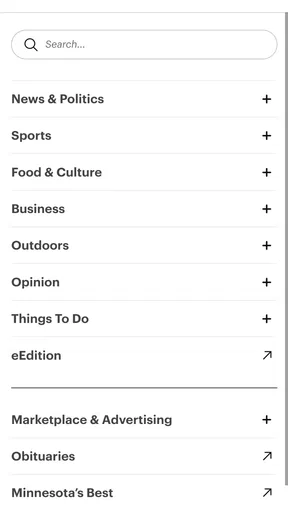


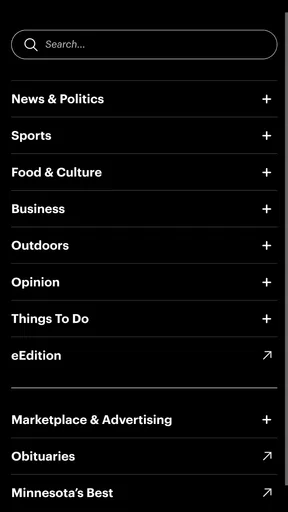
Our Review of The Minnesota Star Tribune
 Analysis by Appyee
I judge a local news app by a practical question: does it help me understand what is happening nearby without making it harder to keep up with the wider world? The Minnesota Star Tribune app is built around that balance. It gives readers a mobile way to follow Minnesota reporting alongside broader coverage, and I see its clearest value in making a regional newsroom part of an everyday reading routine. It is less compelling if you want a single app to represent every viewpoint or deliver a national news feed first.
There is also a straightforward cost distinction worth keeping in mind. The app is free to download, while in-app purchases are listed from $0.99 to $259.99 per item. That range is broad, so I would check the purchase details shown in the app before committing to anything; the free download should not be mistaken for a promise that every article or service is free. The publisher is Star Tribune Media Company, and the app is rated Everyone 10+.
What the local focus adds to a daily news habit
For me, the main reason to choose a Minnesota-focused outlet is context. A general news aggregator can put national headlines in front of me quickly, but it may not give local developments the same attention or continuity. A regional newsroom can make it easier to follow the people, institutions, and issues that shape life in Minnesota. That is useful when a story affects a commute, a neighborhood, a school, or a local decision, even if I am also checking other sources for the bigger picture.
A realistic routine might be to open the app over breakfast, scan the leading local stories, and leave a longer piece for a quieter moment later. At lunch, I might return for a developing update rather than repeatedly refreshing several unrelated feeds. The value is not simply having more headlines; it is having one place to keep track of local coverage as a story develops. Readers outside Minnesota may still find individual stories interesting, but the closer their connection to the state, the more consistently useful that local emphasis is likely to feel.
Reading choices, not just headline volume
The app’s appeal depends on what kind of reader you are. If you want a quick sense of the day, headlines and shorter updates can help you decide where to spend your attention. If a topic matters to you, a deeper report can provide more background than a headline-only feed. I would treat these as complementary reading modes: use a brief check-in to stay oriented, then give a substantial article time when you want context rather than just another notification.
That distinction also helps avoid a common news habit: mistaking a steady stream of alerts for a full understanding of an issue. Even when breaking updates are useful, I prefer to return to the reporting and read the complete piece before drawing a conclusion. With a local story, details can matter more than speed. The app works best as a reading destination, not as a substitute for careful attention or for comparing coverage when a subject is disputed.
Where it sits beside other news apps
Compared with broad aggregators, the Minnesota Star Tribune has a more defined regional point of view: Minnesota is central rather than just one topic among many. That can be a strength if local reporting is what you are missing, but a limitation if your priority is a highly personalized mix of publishers or a single stream dominated by national and international headlines. A general-purpose news app may be the better everyday choice for someone who wants to compare many outlets in one place.
It also differs from simply following news through social feeds. Social platforms can surface a local story quickly, but the surrounding conversation may crowd out the reporting itself. A dedicated newspaper app gives the journalism a clearer place in your reading routine. I would still use other sources when I want a range of perspectives, especially on contentious subjects; choosing a local publisher is a choice about where to get focused reporting, not a reason to stop checking how other outlets cover the same issue.
Practical trade-offs before you settle in
One useful habit is to be deliberate about alerts. I would enable only the kinds of updates that genuinely help me act or stay informed, then leave routine reading for a time I choose. That keeps the app from turning every quiet moment into a prompt to check the news. If the alert stream starts to feel noisy, reducing notifications is a better first step than abandoning a source that otherwise helps you follow Minnesota.
I would also think about the difference between saving something for later and actually making time to read it. A queue can be handy for a commute or a break, but saved stories are not useful if they become an ever-growing list. I find it more realistic to choose one article to return to than to collect every headline that looks interesting. For anyone trying to keep news from taking over the day, a brief scheduled check-in and a small reading queue can make the app feel more manageable.
For a prospective reader, the practical questions are whether the local emphasis matches your interests, what content is available without a purchase, and whether any optional purchase is worth its cost to you. The download itself is free, but the listed in-app purchase range means I would inspect the specific offer rather than assume a subscription or article price. The app has an average rating of 4.3 from around 1.3 thousand ratings, with over 100 thousand installs; those figures suggest an established audience, but they cannot tell you whether its coverage fits your needs.
The app is version 4.7 and requires Android 8.0 or later. It was released on November 10, 2011, so it has a long history as a mobile news product, though age alone does not guarantee that every part of the experience will suit a particular device or reading style. I would check that my phone meets the minimum requirement and then judge the app by the actual stories and reading experience I use, rather than by its longevity.
If you mainly want Minnesota coverage, prefer reading from a dedicated newsroom, and are willing to review any paid options before using them, this is a reasonable app to try. If you want a free, all-publishers aggregator, minimal local reporting, or a deliberately broad mix of sources, another news app may serve you better. My recommendation is therefore specific: try it for the local reporting, keep your alert settings intentional, and make a purchase only after checking exactly what it unlocks.
First Impressions and User Interface
When I first launched the Minnesota Star Tribune app, I was greeted with a clean and straightforward interface. The design is user-friendly, making navigation a breeze even for those who aren’t tech-savvy. The home screen is well-organized, offering easy access to top stories, local news, and other categories.
The app uses a classic white background with black text, which is easy on the eyes. This minimalist approach not only keeps things looking tidy but also ensures that the focus remains on the content itself. There's nothing more frustrating than a cluttered app, and fortunately, this is not the case here.
News Coverage and Content
One of the standout features of the app is its extensive news coverage. From local headlines to national and international news, the app ensures you're well-informed about various topics. I particularly enjoyed the in-depth investigative reports which provide a detailed perspective on major issues.
The app also includes sections for sports, entertainment, and lifestyle. Whether you're interested in the latest sports scores or want to catch up on celebrity gossip, there's something for everyone. I found the variety refreshing, and it kept me engaged for longer than expected.
Customization and Notifications
Customization options are plentiful. You can tailor your news feed according to your preferences. Want more sports updates? No problem. Interested in politics? You can set it up to prioritize political news. This level of personalization is fantastic, as it makes the app work for you rather than the other way around.
Notifications are also well-handled. You can choose to receive alerts for breaking news, weather updates, or specific categories that interest you. I appreciated the ability to control the frequency and type of notifications, which means no more annoying alerts in the middle of the night!
Offline Reading and Multimedia
One nifty feature is the offline reading capability. You can save articles to read later without an internet connection. This is perfect for those who commute or find themselves in areas with spotty service.
On the multimedia front, the app does not disappoint. There are plenty of photos, videos, and interactive graphics that complement the news stories. The multimedia elements are of high quality and add depth to the articles, making the reading experience more engaging.
Performance and Reliability
Performance-wise, the app runs smoothly without any noticeable lags or crashes. I tested it on both Android and iOS devices, and it performed consistently well on both platforms. Updates are regular, ensuring that any bugs or issues are quickly resolved.
Reliability is crucial for a news app, and the Minnesota Star Tribune app certainly delivers. It loads quickly, articles open without delay, and the overall experience is seamless.
Final Thoughts
All in all, the Minnesota Star Tribune app is a solid choice for anyone wanting to stay updated with news from Minnesota and around the world. Its user-friendly interface, extensive news coverage, and customizability make it stand out in the crowded field of news apps.
If you're a news junkie or just someone who likes to keep informed, I recommend giving this app a try. It's available for both Android and iOS, and you can download it directly from the respective app stores. Happy reading!
Verdict
Strengths of The Minnesota Star Tribune
- Comprehensive local news coverage.
- User-friendly interface for easy navigation.
- Regularly updated with breaking news.
- Customizable notifications for top stories.
- Engaging multimedia content.
Limitations of The Minnesota Star Tribune
- Occasional ads can interrupt reading.
- Requires subscription for full access.
- App can be slow to load at times.
- Limited offline reading options.
- Some sections lack depth.
Similar Picks in This Category
View All
Google News - Daily Headlines
Google LLC4.0

X
X Corp.4.8

Flipboard:Your Social Magazine
Flipboard3.4

Opera News: breaking & local
Opera4.5

Hindi News by Dainik Bhaskar
Dainik Bhaskar Group4.0

Way2News Daily News App
Way2News ( Formerly Way2SMS )4.6
Frequently Asked Questions
What is the Minnesota Star Tribune app?
The Minnesota Star Tribune app is a mobile application providing users with access to the latest news, articles, and multimedia content from the Star Tribune newspaper. It offers a user-friendly interface for browsing top stories, local news, sports updates, and more, all directly from your smartphone or tablet.
Is the Minnesota Star Tribune app free to use?
The app itself is free to download on both Android and iOS platforms. However, while some content is available for free, access to premium articles and features may require a subscription. The app offers various subscription plans, allowing users to choose the one that best fits their needs.
What features does the Minnesota Star Tribune app offer?
The app includes several features such as breaking news alerts, personalized news feeds, and the ability to save and share articles. Users can also watch videos, view photo galleries, and access interactive content. Additionally, the app provides weather updates and live sports scores to keep you informed on the go.
How do I manage my subscription on the Minnesota Star Tribune app?
To manage your subscription, you need to access the account settings within the app or through the Star Tribune website. Here, users can update payment information, change subscription plans, or cancel their subscription. For additional assistance, customer support is available to help resolve any issues.
Can I access the Minnesota Star Tribune app content offline?
Yes, the app allows users to download articles for offline reading. This feature is particularly useful when you’re on the move and do not have a stable internet connection. Simply save the articles while online, and access them later without needing an internet connection.
